تبديل اللغة إلى العربية
T-Link function
Enter the T-Link APP,choose the function and connect to your phone.
Use Apple Car Auto /Android Auto
Wired Car Auto/Andriod Auto:
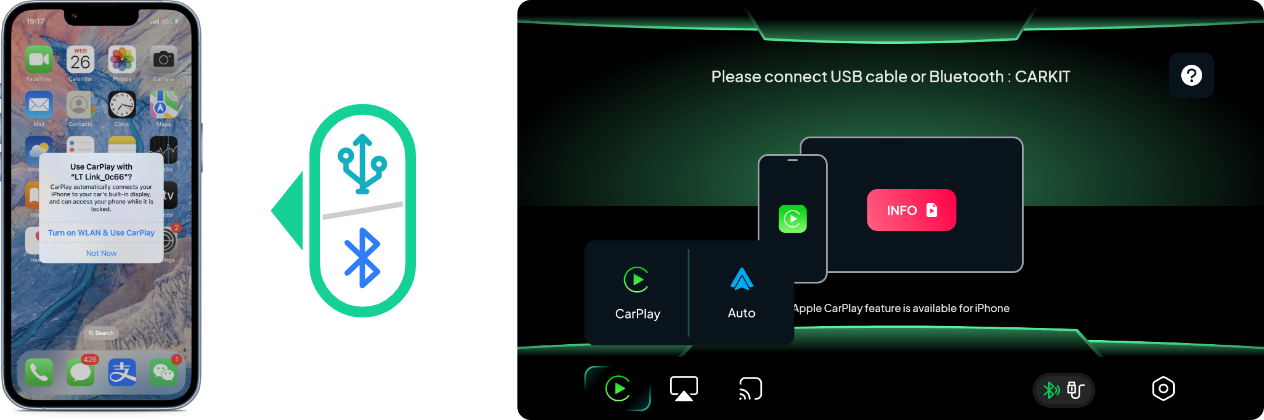
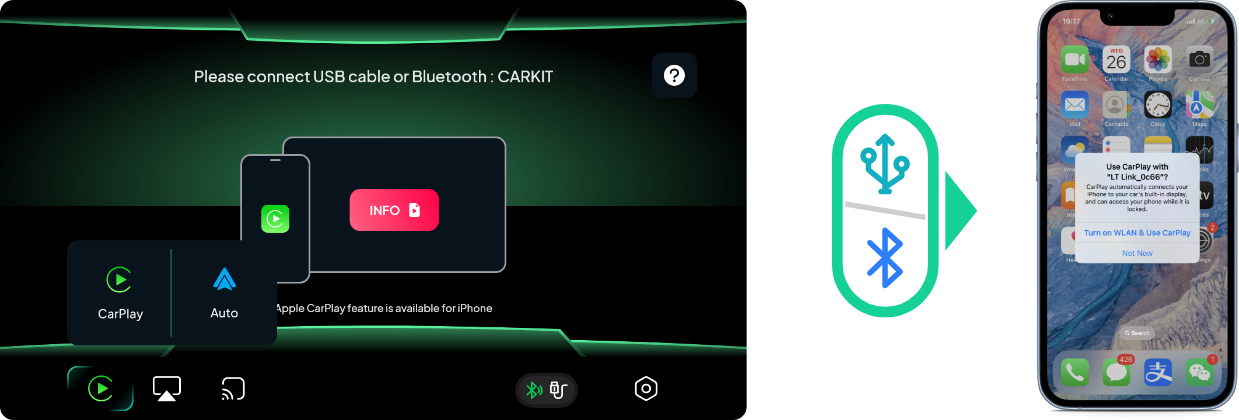
Connect your mobile to RM headunit by data cable > select" use Carplay" on mobile pop-up message or the CarPlay feature from the headunit.
Wireless Car Auto:
Connect your mobile to RM headunit Bluetooth > select" use Carplay" on mobile pop-up message
Use wireless Android Auto:
Use Mobile phone to connectto the car machine Bluetooth (do not manually turn on or off the wifi and hotspot of the phone and the car headunit after connecting Bluetooth,the system will automatically set).
Wait a few seconds to use the Auto function on the car side.
Apple AirPlay for IOS screen mirroring
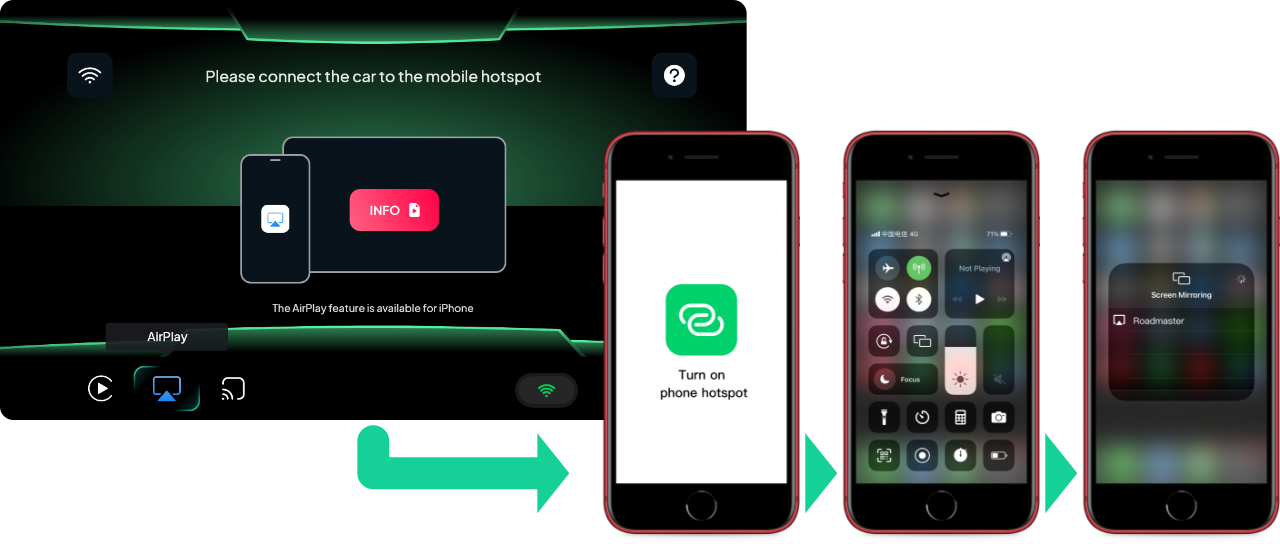
Using Apple AirPlay Full Screen Mirroring:
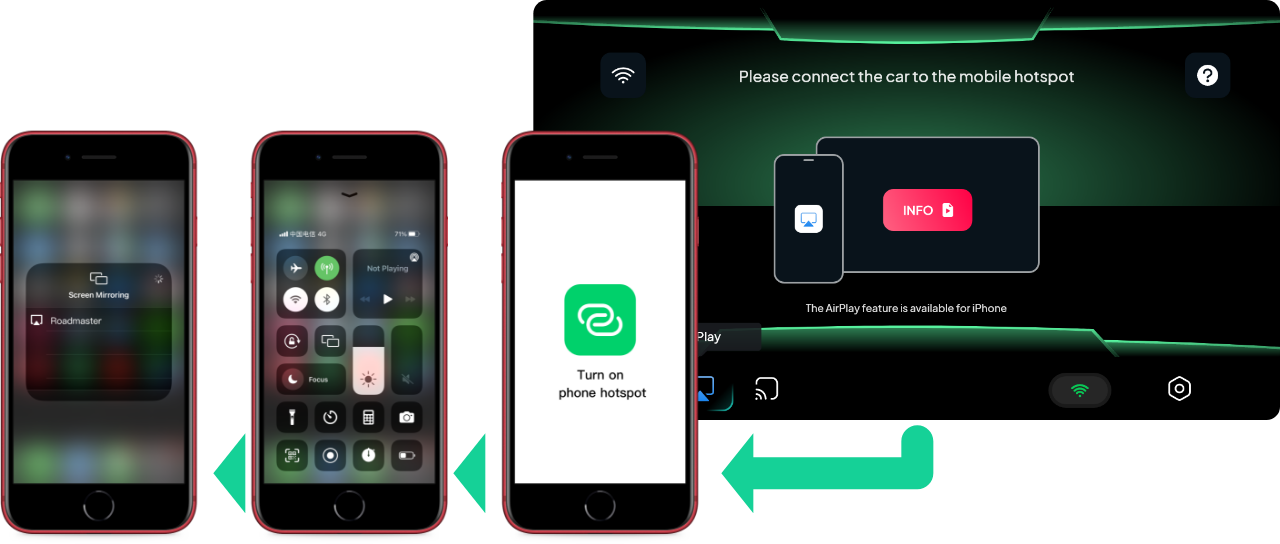
Open Mobile Hotspot Function > Connecting the RM headunit to Mobile Hotspot > Select the Car Device in the "Screen Mirroring" > "Screen Mirroring" pop-up window in the Phone Control Center. Then you can start screen mirror casting.
When using Apple AirPlay full-screen mirroring, you need to operate on the mobile phone side, do not support controling from headunit, and the phone cannot lock the screen.
Use Android Cast full screen mirroring
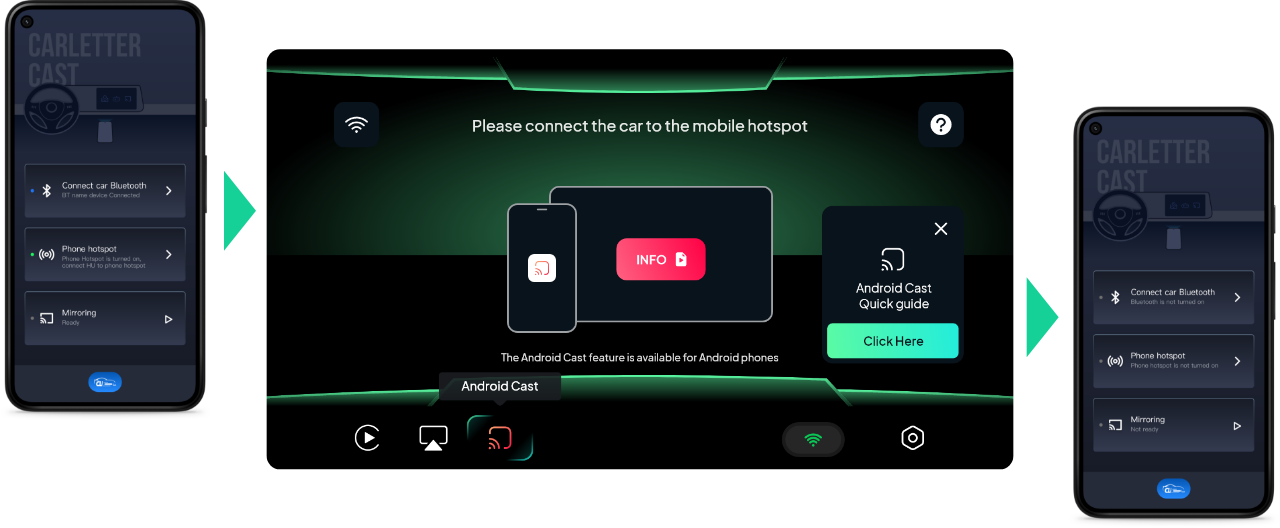
Using Apple AirPlay Full Screen Mirroring:
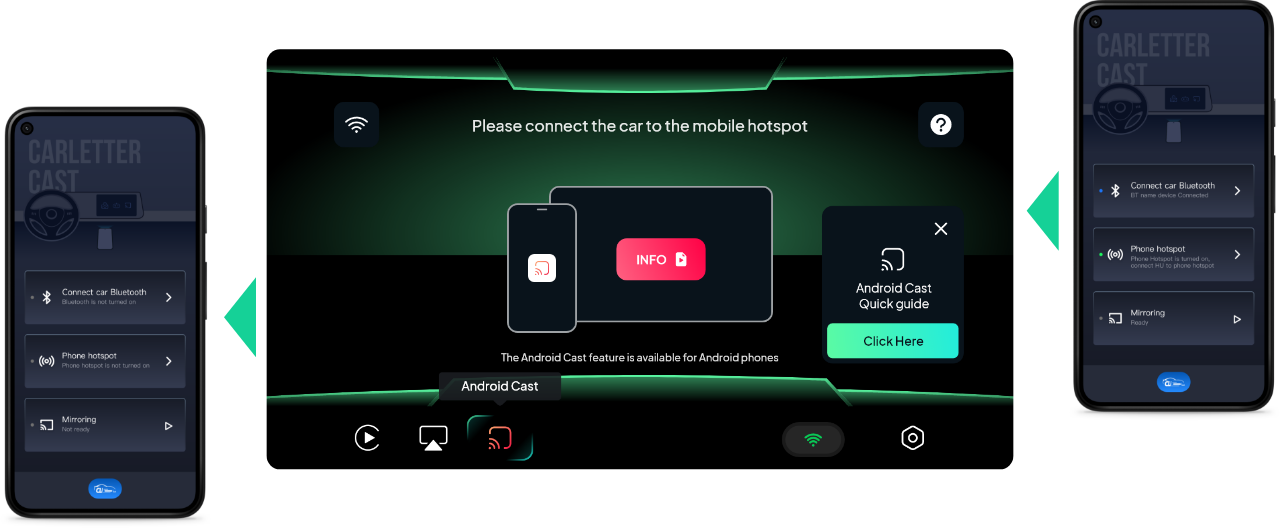
Download and install carLetter Cast APP in your phone > start the APP to connect the car headunit Bluetooth and turn on the mobile phone hotspot > the car machine is in the Android Cast function page > the car machine connects to the mobile phone hotspot > click "Cast Screen" in the mobile APP to start the full-screen mirroring.
Android Cast function requires the use of Bluetooth for sound transmission, please make sure that the mobile phone and the car machine Bluetooth connection is normal before using this function.